Wednesday, September 22, 2010

Mobile Applications

Free stuff for your phone

18 million people sharing their favorite stuff


http://www.zedge.com/

Friday, September 17, 2010

CCleaner | Clean your Computer...

CCleaner

Optimization and Cleaning

Features


Download

CCleaner is our system optimization, privacy and cleaning tool. It removes unused files from your system - allowing Windows to run faster and freeing up valuable hard disk space. It also cleans traces of your online activities such as your Internet history. Additionally it contains a fully featured registry cleaner. But the best part is that it's fast (normally taking less than a second to run) and contains NO Spyware or Adware!


Cleans the following:

Internet Explorer
Internet Explorer
     Temporary files, history, cookies, Autocomplete form history, index.dat.

Firefox
Firefox
     Temporary files, history, cookies, download history, form history.

Google Chrome
Google Chrome
     Temporary files, history, cookies, download history, form history.

Opera
Opera
      Temporary files, history, cookies.

Apple Safari
Safari
     Temporary files, history, cookies, form history.

Windows
Windows
     Recycle Bin, Recent Documents, Temporary files and Log files.

Registry
Registry Cleaner
     Advanced features to remove unused and old entries, including File Extensions, ActiveX Controls, ClassIDs, ProgIDs, Uninstallers, Shared DLLs, Fonts, Help Files, Application Paths, Icons, Invalid Shortcuts and more... also comes with a comprehensive backup feature.

Applications
Third-party applications
     Removes temp files and recent file lists (MRUs) from many apps including Media Player, eMule, Google Toolbar, Netscape, Microsoft Office, Nero, Adobe Acrobat, WinRAR, WinAce, WinZip and many more...

Safe
100% Spyware FREE
     This software does NOT contain any Spyware, Adware or Viruses.


Notepad++ | 5.7

            Notepad++ is a free (as in "free speech" and also as in "free beer") source code editor and Notepad replacement that supports several languages. Running in the MS Windows environment, its use is governed by GPL License.

            Based on the powerful editing component Scintilla, Notepad++ is written in C++ and uses pure Win32 API and STL which ensures a higher execution speed and smaller program size. By optimizing as many routines as possible without losing user friendliness, Notepad++ is trying to reduce the world carbon dioxide emissions. When using less CPU power, the PC can throttle down and reduce power consumption, resulting in a greener environment.

           This project is mature. However, there may be still some bugs and missing features that are being worked on. If you have any questions or suggestions about this project, please post them in the forums. Also, if you wish to make a feature request, you can post it there as well. But there's no guarantee that I'll implement your request.

           You're encouraged to translate Notepad++ into your native tongue if there's not already a translation present in the Binary Translations page. And if you want, help translating Notepad++ official site into your native tongue would be greatly appreciated.

            I hope you enjoy Notepad++ as much as I enjoy coding it.


Follow Me

Google Chrome

Why use Google Chrome?

The web browser is arguably the most important piece of software on your computer. You spend much of your time online inside a browser: When you search, chat, email, shop, bank, read the news, and watch videos online, you often do all this using a browser.

  • Speed

    Chrome is designed to be fast in every possible way: It's quick to start up from your desktop, loads web pages in a snap, and runs complex web applications fast. Learn more about Chrome and speed.

  • Simplicity

    Chrome's browser window is streamlined, clean and simple.
    Chrome also includes features that are designed for efficiency and ease of use. For example, you can search and navigate from the same box, and arrange tabs however you wish — quickly and easily.

  • Security

    Chrome is designed to keep you safer and more secure on the web with built-in malware and phishing protection, autoupdates to make sure the browser is up-to-date with the latest security updates, and more. Learn more about Chrome's security features.

  • And more features

    Chrome has many useful features built in, including extensions, translation in the browser, themes, and more. Learn more about Chrome's newest and most-loved features.

Learn more

What is a browser?

whatbrowser.orgA web browser is the application you use to view websites. Watch a 1 minute video to learn more.
Go to Whatbrowser.org


Google Chrome comic bookRead about the technology

Look under the hood of Google Chrome and learn about key engineering decisions:
The comic book, by Scott McCloud
A video by the development team
  
Google Chrome experiements

Google Chrome in Action

Take a look at interactive web experiments for Google Chrome created by JavaScript designers and programmers from around the world.


Follow Me

About CNET

What CNET? And What CNET Do?

CNET mission is simple:

CNET shows you the exciting possibilities of how technology can enhance and enrich your life. We provide you with information, tools, and advice that help you decide what to buy and how to get the most out of your tech.


Each month, millions of people come to CNET to:

  • Read the latest news and unbiased reviews
  • Watch videos that demystify technology
  • Listen to podcasts
  • Download software, mobile applications, and games
  • Post opinions about the technology and the consumer electronics they live with every day
  • Learn from an objective source about the products and the technologies that are right for them
View our editorial calendar to see upcoming product reviews and features.
View calendar


Follow Me

Web Designing softwear

Web Page Maker

web page maker screenshot
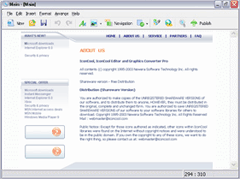
Web Page Maker is an easy-to-use web page editor that allows you to create and upload web pages in minutes without knowing HTML. Simply drag and drop objects onto the page and position them freely in the layout. It comes with some pre-designed templates that help you to get started. It also includes ready-to-use navigation bars that can be inserted into the page. Additional features include built-in color picker, Java script library, image library and built-in FTP client.


      Create your website in minutes with this easy-to-use Web creator software!


 Main Features
  • No html coding is required and you do not need any web experience.
  • Drag and drop the objects. True WYSIWYG layout & design.
  • Create websites with multiple pages and easily manage your site at once.
  • The ability to import and edit an existing html page in a WYSIWYG manner.
  • You can use CSS style sheet to control how the text appears on your site.
  • Hundreds of functions: photo gallery, rollover image, flash slide show, audio/video, flash video, ready-to-use Java Script effects, tables, forms, iFrames and much more... 
  • Pre-designed website templates are included.
  • Preview web pages in browser with one-click.
  • Publish your web site with just one-click.
What new features would you like to see in a future release? - Write Us


Thursday, September 16, 2010

PIXresizer - Free Image Resizer

PIXresizer is a photo resizing program to easily create web and e-mail friendly versions of your images with reduced file sizes.
       The reduced files are saved in a different folder, so your original images are not altered at all. PIXresizer offers several different resizing methods to choose from and can automatically recognize image sizes to calculate the best fit. In addition, it can convert between image formats (JPEG, GIF, BMP, PNG and TIFF), rotate images, convert to grayscale and resize multiple images in batch mode. A great companion for webmasters and digital photographers.

  
Options/Features

   Simple Four-Step Workflow
   Easy 'Apply recommended' option to make it even more user friendly
   Works with single files as well as with multiple files all at once
   Option to convert between graphics formats (.bmp, .gif, .jpg, .png, and .tif)
   Can be used to create thumbnails (takes one move on a slider)
   Smart Ratio Calculation (image proportions can be overruled by the user)
   EXIF support, JPEG compression, TIFF
compression, DPI settings
   Runs on Windows 98/ME/NT4/2k/2k3/2k8/XP/Vista/7


   You will be prompted to choose a location on your computer to save the file to. Should you experience download problems, 
    DOWNLOAD [ 3.3 Mb]


Desk PDF Pro

Docudesk’s deskPDF Professional provides a simple yet elegant solution for creating professional and polished PDF documents. Produce high quality PDF’s by printing from any application without thindustry’s best customer support it is easy to see why deskPDF is the best value on the market. Compare deskPDF and see why we cannot be beat! e need for Adobe Acrobat.
deskPDF Professional provides all the features of more costly products and more. Security, emailing, Office integration, PDF merging and more are all easily performed from deskPDF's intuitive interface. Coupled with the


Installed as a virtual printer, the deskPDF PDF Writer allows you to create PDF files from applications that support Windows printing. This enables PDF creation from almost any type of file format that uses the print function.

Features & Benefits

Create

Print to PDF

What is a PDF Writer?


Drag and Drop
Simply drag files to the deskPDF icon located on your desktop and instantly convert most file types, including Microsoft Office® files*.


One-click
Integrated into Windows Explorer, deskPDF makes creating PDF documents as simple as clicking your mouse.


Publish

Merge PDF Files
Combine multiple documents into one standard format. With deskPDF Professional, you can merge documents created from different applications into one multi-page PDF document.


Microsoft Word & Office Integration
Convert hyperlinks, bookmarks and table of contents from Microsoft Word® documents to publish indexed PDF documents. This feature adds a toolbar button for one-click PDF conversion of Word, Powerpoint, and Excel documents. PDF forms can also be created using a special forms toolbar.

learn more about Word to PDF Integration


Secure

Protect your content
Set permissions to control what can be done with your published content. Disable printing, copying and modification of your PDF files to more tightly control what is done with your documents.


Encrypt sensitive information
Using standard 128 or 40 bit PDF encryption, password protect your important documents using the deskPDF Professional security features


Share

Automatic Email
Instantly send PDF attachments using deskPDF's auto-email feature. Integrated with most Windows mail clients, deskPDF will instantly open a new message with your PDF file attached.
 

Deploy

The deskPDF Configuration Tool is designed to help administrators deploy deskPDF implementations to multiple users and provide customized deskPDF configurations to the users to ensure support of electronic documentation business practices. The dCT provides an template which integrates directly with Microsoft’s Management Console which enables custom control of over sixty deskPDF parameters. The dCT also works with deskPDF’s new profiles capability to allow administrators to create various corporate profiles from which users can select based on business need (i.e. internal PDF, external PDF, high security PDF) rather than rely on the expectation that the end user knows how to specify the appropriate settings.


System Requirements for deskPDF Professional:

Operating System:
Microsoft Windows® 2000, XP, Vista, and Windows 7 (all editions)
Microsoft Office ® Users:
Microsoft Office® 2000, 2002, 2003, XP, or 2007
Minimum Hardware Requirements:
  • 1Ghz+ x86 processor
  • 64MB of RAM (128MB recommended)  
  • 30MB of available hard-disk space

Follow Me
Center for Research in
Urdu Language Processing


              Urdu is a rich language with a multilingual and multi cultural heritage. Its roots in Arabic, English, Persian, Sanskrit and other languages give Urdu a diverse body of sounds and underlying linguistic structure. Similarly, multi cultural background introduces a varied tradition of calligraphy, prose poetry, and other forms of art in Urdu. This rich heritage makes Urdu far more computationally interesting and challenging than any other language. This is also true for Pakistan’s other regional languages including Sindhi, Pushto, Balochi and Brohvi. These challenges pose a vast unexplored training field for research students in computer science.
CRULP Urdu Phonetic Keyboard Layout v1.1 for Windows  
     
   CRULP Urdu Phonetic Keyboard Layout v1.1 for Windows
          Center for Research in Urdu Language Processing (CRULP) released a “Phonetic” keyboard layout version 1.0 for Microsoft platform in April 2004 extended from InPage to incorporate Unicode character set for Urdu. This layout is reviewed again considering the feedback on existing layout.

           The reviewed layout “CRULP Urdu Phonetic” version 1.1 is compatible with Unicode 5.1. The new version is also compatible with Microsoft Vista. Some new characters have been added which are in Unicode 5.1 but not in the earlier keyboard layout. The new version has three (Base, Shift and AltGr (Right Alt or Alt+Ctrl)) faces. Basic characters are mostly placed on the same original positions; common diacritics are placed on the Shift layout and some less common diacritics, honorifics and sign are placed on AltGr (Right Alt or Alt+Ctrl) layout.
  
     
  Download (This file has been accessed: 25,594 times, since 01 June 2009)     CRULP Urdu Phonetic Keyboard Layout v1.1
  
     
  Installation Procedure  
  Unzip the downloaded file and double click the setup.exe to install a keyboard layout.
To add/remove Keyboard Layouts for Windows XP
Double click “Regional and Language options” icon
Press “Language” tab
Press “Detail” button
Press “Add” button
Select “Input Language: "Urdu", and Keyboard layout/IME :  ”CRULP Urdu Phonetic v1.1"
To remove select a layout and press “Remove” button
 
To add/remove Keyboard Layouts for Windows Vista
Double click “Regional and Language options” icon
Press “Keyboard and Languages” tab
Press “Change keyboards…” button
Press “Add” button
Select “Input Language: "Urdu", and Keyboard: ”CRULP Urdu Phonetic v1.1"
To remove select a layout and press “Remove” button 


Follow Me

send free sms to all over the globe from my blog

Fill This form and you massages to your friends for free...

Give Mobile No.

Write your massages

And Service Operator and then

Click the send button..


_____________________________________________________

Send free text messages!

Please enter a cell phone number:

NO Dashes - Example: 7361829726


Please choose your recipient's provider:


SMS Messages

EgyDown ( Rapidshare Megaupload Downloads ) is free full cracked software ( Full Version ) download Warez site provide full Software with Cracks, Keygen, Serial and Keys for free. EgyDown is not updated daily free software site because we care about the software quality. All files are not hosted in egydown.com server it's hosted on Rapidshare ( rapidshare.com ) , Megaupload ( megaupload.com ) or other free hosting sites. So feel free to download any cracked software, It s all for you ; )
Down load softwares  for free.. from this one...
http://www.egydown.com/